All About Our Town: Using Brochures to Teach Informational Writing

- Preview |
- Standards |
- Resources & Preparation |
- Instructional Plan |
- Related Resources |
- Comments
Overview
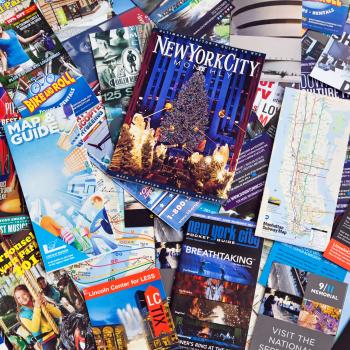
All communities have their own landmarks, symbols, and people that make them unique places to live. In this lesson, students in grades 2–4 explore their towns using a variety of print and nonprint resources. By looking at brochures and other informational tools, students learn about some of the purposes for which people read and write. They also practice writing for a specific audience, revising their writing, and working collaboratively to create a brochure for new students just moving into town.
Featured Resources
New Town Interview Questions: Students will use this handout to ask questions about experiences with moving to a new place and to create a brochure aimed at a student who is new to the area.
From Theory to Practice
- Learning that people read and write for various reasons and learning about the purposes for which people read and write are two important-and often neglected-facets in children's literacy development.
- Obtaining and communicating information, responding and interpreting literature, learning and reflecting, and problem solving and applying are the four important parts of the framework teachers can use to think about purposes for written language.
- Teachers should play a role in encouraging students to read and write for specific purposes.
Common Core Standards
This resource has been aligned to the Common Core State Standards for states in which they have been adopted. If a state does not appear in the drop-down, CCSS alignments are forthcoming.
State Standards
This lesson has been aligned to standards in the following states. If a state does not appear in the drop-down, standard alignments are not currently available for that state.
NCTE/IRA National Standards for the English Language Arts
- 4. Students adjust their use of spoken, written, and visual language (e.g., conventions, style, vocabulary) to communicate effectively with a variety of audiences and for different purposes.
- 5. Students employ a wide range of strategies as they write and use different writing process elements appropriately to communicate with different audiences for a variety of purposes.
- 7. Students conduct research on issues and interests by generating ideas and questions, and by posing problems. They gather, evaluate, and synthesize data from a variety of sources (e.g., print and nonprint texts, artifacts, people) to communicate their discoveries in ways that suit their purpose and audience.
- 8. Students use a variety of technological and information resources (e.g., libraries, databases, computer networks, video) to gather and synthesize information and to create and communicate knowledge.
- 12. Students use spoken, written, and visual language to accomplish their own purposes (e.g., for learning, enjoyment, persuasion, and the exchange of information).
Materials and Technology
- Alphabet City by Stephen T. Johnson (Puffin, 1995)
- City of Numbers by Stephen T. Johnson (Puffin, 1998)
- Chart paper
- Travel and attraction brochures
- A local phonebook and local maps
- Disposable cameras
- Computers with Internet access
- Overhead projector
Printouts
Websites
Preparation
| 1. | Obtain disposable cameras, about three for a class of twenty students. You may choose to ask a local store to donate them or to send a note home requesting funds to help purchase them (see Letter to Parents 1). |
| 2. | Make sure that students have permission to use the Internet, following your school policy. If you need to, reserve two 40-minute sessions in your school's computer lab. These do not need to be on consecutive days (see Sessions 3 and 4). |
| 3. | Visit and familiarize yourself with Tips from the Pros. You may also want to bookmark it on your classroom or lab computers. |
| 4. | Gather a variety of resources about towns, cities, and travel including:
|
| 5. | Decide how you will create the final brochure. You can use a program such as Microsoft Word or Microsoft Publisher. Or you can use an online tool like the ReadWriteThink Printing Press. You will want to familiarize yourself with the software or tool you will be using and may want to generate some sample templates to share with the class. The Sample "Our Town" Brochure should give you some ideas about a brochure template; you may want to make copies of this to distribute to students. |
| 6. | Make copies of the Editing Checklist, New Town Interview Questions, Brochure Planning Sheet, and Camera Note for each student in the class. Edit the Letter to Parents 1, Letter to Parents 2, and Letter to Parents 3 as necessary and make copies for each student in the class. Make a transparency of the Paragraph Puzzle. |
Student Objectives
Students will
- Learn about some of the different purposes of written communication by exploring a variety of informational resources about their town
- Practice different information-gathering techniques, from reading brochures and websites to conducting interviews
- Synthesize information by collecting facts about important and interesting places in town, choosing one place to write about, and then selecting the relevant information about that place to include in a paragraph
- Practice communicating information to a specific audience by writing and revising paragraphs about interesting places for the classroom brochure
- Learn about grammar and spelling by editing their own writing
- Develop collaborative skills by partnering with classmates to review and collect information and working as a class to create a brochure
Session 1
| 1. | Place five pieces of chart paper around the room in a circle. At the top of each one write a category label to guide brainstorming, such as entertainment, restaurants, services, businesses, or historical landmarks. Divide students into five groups. Start each group at a different piece of paper and give them about two minutes to brainstorm places in town that fit in the category listed at the top. Rotate the groups so that they get a chance to brainstorm for each category. A different student in the group should be in charge of writing at each stop in the brainstorm. |
| 2. | Bring students back together and show them one of your sample brochures. Explain to the students that a brochure is a great way to present information to people using words and photographs. Ask students when and why people might need to use a brochure, looking for answers such as "when people go on trips to help them decide what they will do" or "when families move to help them learn about their new home." You may want to list student answers on a piece of chart paper. |
| 3. | Write the words "All About Brochures" at the top of a piece of chart paper and hang it where everyone can see it. Tell students that you want them to examine some brochures on their own or with a partner. Pass out the brochures you have assembled and allow some time for students to look at them. While students are doing this, walk around the room and ask them what they notice about the brochures and have them write the characteristics they notice on the chart paper. Each student or pair of students should look at several different brochures. |
| 4. | After about 15-20 minutes, gather the students together and review the list of characteristics they have compiled. As you are discussing a characteristic, such as captions, have the students locate an example in their brochure. Use this time to help students identify any important characteristics that have been left off the list. |
| 5. | Tell students that they are going to create a brochure about their town for a new student just moving in. During this project, they will be photographing and writing about places in their town. If you will be soliciting contributions from parents to buy disposable cameras, distribute the Letter to Parents 1 to students. |
| 6. | Distribute the New Town Interview Questions. Tell students that because the brochure they will be creating will be aimed at a student who is new to the area, they need to try and figure out what kind of information would be useful to that student. To help them do this, they are going to ask someone in their house about their experiences with moving to a new place. |
Session 2
Note: You may choose to assess your students' abilities to write an informational paragraph at the beginning of this session by asking them to write a paragraph about a place they have read about or that they have actually visited.
| 1. | Students should have their completed New Town Interview Questions sheets. Ask them to share information from their interviews that they think might help in creating a brochure for a new student. List student responses on a piece of chart paper. |
| 2. | Draw students' attention back to the brainstorming sheets from Session 1. Ask them to take a look at these lists of places and, using the information from their interviews, think about which places should be included in the brochure. Some guiding questions you might use include:
|
| 3. | Students should choose enough places to fill up the brochure and so that they can work in groups of two or three (each group will write about one place). If you have a large class you may need to make more than one brochure. |
| 4. | Once you have selected the places for your brochure, have students decide which place they would each like to write about, explaining that they will be working in groups to do so. You may choose to approach this by having students list three choices, collecting each student's list, and then assigning groups based on those lists. |
Session 3
Note: Students will use computers for part of this session, so if necessary, you should conduct it in the computer lab.
| 1. | Tell students that they are going to begin researching the place they will describe in the brochure and organizing their ideas for writing a paragraph. |
| 2. | Ask students to discuss what information might be important to include in the paragraph about each place. List their responses on a sheet of chart paper. These might include:
|
| 3. | Distribute the Brochure Planning Sheet and review it with students, explaining that they will use this and the list they have just generated to determine what to include in their paragraphs. Have students meet with their groups to begin filling out the sheets using information that they already know. |
| 4. | Allow students to spend the rest of the session researching the information they are missing. Students can use the yellow pages or the brochures you have assembled to find addresses and phone numbers. They can also use the websites you have bookmarked to help them locate information. |
| 5. | Distribute the Letter to Parents 2. Explain to students that they are to finish up their research at home. They should decide how to divide up the remaining work in their groups. Tell them that they can use the Internet to finish their research or may want to call the office of the attraction they are writing about to obtain additional information. |
Homework (due by Session 5): Students should complete their Brochure Planning Sheets.
Session 4
Note: Students will use computers for part of this session, so if necessary, you should conduct it in the computer lab.
| 1. | Begin this session by bringing students together to look at a book that is illustrated with photographs such as Alphabet City or City by Numbers by Stephen T. Johnson. While looking through the book, discuss the different strategies the photographer uses such as close-ups, focus, distance, and lighting, guiding students during this discussion to think about their own brochure. Questions for discussion include:
|
| 2. | Have the students meet with their partners to talk about photos they might take for the brochure of the place they are researching. Questions you might use to guide these discussions include:
|
| 3. | After students have finished discussing their photographs, have them visit Tips from the Pros for photography tips and practice using an online "camera." Students can also use this time to conduct more research on their places. |
| 4. | Distribute the Letter to Parents 3. |
Homework: Students should return the letter with several dates selected. You should then assign dates, number the cameras, place them in bags with the Camera Note and send them home with students.
Note: The picture taking will take 2-3 weeks. Each student will take the camera home for one night to photograph the place they are researching. Once each student has had a turn with the camera you can either develop and then scan the pictures, or have them developed onto a CD. This part of the project is strictly voluntary.
Session 5
| 1. | Display the Paragraph Puzzle transparency using an overhead projector and have the students read the phrases along with you. Read the phrases two or three times out loud so that they are comfortable with the information. Then ask students to decide how the information should be ordered. You may want to write numbers next to the phrases on the transparency. |
| 2. | After the students have decided on an order, have them help you put the information into sentences. Before you get started, bring up the issues of audience and voice, explaining that they are writing, as they will in their own brochures, for their peers. You might ask them to think about the following elements as they are writing:
|
| 3. | Write the paragraph your students develop on chart paper, modeling the revision process as you go along by making edits. When you are finished, write a clean copy down to post where the entire class can see. |
Note: Taking information and writing it with voice is a learned skill. If this is the first time that your students have ever done something like this, you may want to give them additional time to practice. ReadWriteThink's Fact Fragment Frenzy can help you do this. You can also create your own paragraph puzzles using information from places in your town and have the class work together, with partners, and independently to write paragraphs before writing their brochure paragraph with their group.
Session 6
| 1. | Students should work in their groups to sort through their information and write their paragraphs for the brochure. You may want to lay out some ground rules for the groups, for example, telling students to choose at least one piece of information from everyone's Brochure Planning Sheet and suggesting that students alternate writing the sentences in their paragraphs. |
| 2. | When each group finishes their paragraph, give them copies of the Editing Checklist and ask them to fill it out. |
| 3. | As students complete their checklist, meet with each group to help them check their paragraphs again for all the elements on it. |
| 4. | Allow time for each group to share their paragraph with the class. After each group has shared, have students respond by first giving a compliment. Then ask if there are any suggestions or questions. If a student makes a particularly astute suggestion or asks a really thoughtful question, encourage the group of writers to revisit their paragraph. |
Session 7
Note: For this session, you need to have the pictures developed. If you have the pictures on a CD, you will want to produce paper printouts for students to view.
| 1. | Spend about 10 minutes allowing the students to look through the pictures. A fun way to do this is to have the students sit in two face-to-face rows. Place a photograph face down in front of each pair of students. When you give the signal, students turn over the picture and discuss it. Have them try to name the place in the picture. After 30-60 seconds, give a signal and have students pass the pictures to the pair next to them. Continue passing pictures down until everyone has had a chance to see all of the pictures. |
| 2. | After viewing the pictures, have the students meet in their groups. Give each group the photos taken of the place they are writing about. Tell the students that they are to choose one picture to go in the brochure. Remind students to choose pictures that show voice (pictures taken at interesting angles, pictures that capture the essence of a place, or pictures that present the place in unique or surprising way) and are appropriate for the audience (if fellow students are their audience, make sure that the pictures are something that they will think is enticing, fun, or interesting). As groups are choosing photographs, walk around the room and ask groups to show evidence of voice and audience in the photograph that they select. |
| 3. | Once each group has chosen a picture, bring the class back together to share their photographs and explain why they selected as they did. |
Session 8
| 1. | Work with students to choose a template for your brochure. You may choose to distribute the Sample "Our Town" Brochure or to have students look at several sample brochures in the program you have elected to use. |
| 2. | Once you have chosen a template, set up one computer station with the program you have chosen to create the class brochure. Give each group a turn typing their paragraph and inserting their picture. You may need to be available during this time to help. |
| 3. | After each group has had a chance to insert their information, print out the brochure and share the final product with students. Have students look at the "All About Brochures" list you created together in Session 1 and talk about whether your brochure includes all the important elements of a good brochure. Students may want to add new information to the list. |
| 4. | Decide as a class what to do with the brochure. You may decide to keep a few brochures for the classroom to give to new students. Another option is to print out brochures for the front office. Put the brochures in a basket so that new families registering can pick up a brochure and read about their new town. |
Extensions
- Students choose a place and make their own travel brochure.
- Students can make a brochure for the new students coming up into their grade. (For example, third-grade students make a brochure for second-grade students).
Student Assessment / Reflections
- Informally assess students' comprehension of the different purposes and audiences of brochures during class discussions in Sessions 1 through 3.
- Circulate while students are working in their groups and observe their participation.
- Informally assess students' abilities to organize information during the Paragraph Puzzle activity.
- Assess each group's paragraph using the Assessment Rubric for Informational Writing. This rubric looks not only at grammar and spelling, but how well students conducted their research and how well the writing communicates to a specific audience. Look for areas of growth and needed improvement.
- Interview the groups and ask them to compare their first work with their final work. Ask them to reflect on things that were hard and easy, things that they learned, and what they want to work on next time to improve their writing.
Bye. Sivlana
Bye. Sivlana
Bye. Sivlana
Add new comment