Star-Crossed Lovers Online: Romeo and Juliet for a Digital Age

- Preview |
- Standards |
- Resources & Preparation |
- Instructional Plan |
- Related Resources |
- Comments
Overview
This lesson invites students to use their understanding of modern experiences with digital technologies to make active meaning of an older text, such as Shakespeare's Romeo and Juliet, by asking students to create their own modern interpretation of specific events from the drama. Students first brainstorm a list of technologies they use, and then imagine what would happen if Romeo and Juliet were set in a modern-day world and that technology was available to the characters. Students work in small groups to create technology profiles for characters in the play, and then discuss their ideas with the class. Next, students select from a variety of projects in which they re-imagine a scene from the play with modern technology incorporated. Finally, students share their projects with the class and discuss why they made the choices of scene and technology that they did.
Featured Resources
Modern-Day Interpretation Projects: This handout outlines a variety of projects students can do in response to Romeo and Juliet.
Rubric for Modern-Day Interpretation Projects: Use this rubric to assess students' projects.
From Theory to Practice
The best literature activities encourage students to make their own meaning out of what they read and to discover for themselves the beauty of great literature. But achieving this goal consistently is easier said than done, especially with Shakespearean texts where students struggle with language and cultural details that are quite different from those that they encounter in their day-to-day experiences. In "Dialogue with a Text," Robert Probst argues that authentic meaning-making cannot be achieved by asking students to learn a range of facts and details about the time period, the text, and the author's language. Rather, students must engage with the text and make their own meaning. Probst continues, "...if meaning is a human act rather than a footlocker full of dusty facts, then we must focus attention on the act of making meaning rather than simply on the accumulation of data." To move from Probst's "footlocker full of dusty facts" to active meaning making allows students to unlock the mysteries of a text on their own and at their own pace. In practice, this lesson allows students to explore the text in relationship to their own understanding of the world and their own experiences. As a result, students not only identify underlying meaning in the play itself but also find echoes of the drama's theme and subject in the modern world.
Further Reading
Common Core Standards
This resource has been aligned to the Common Core State Standards for states in which they have been adopted. If a state does not appear in the drop-down, CCSS alignments are forthcoming.
State Standards
This lesson has been aligned to standards in the following states. If a state does not appear in the drop-down, standard alignments are not currently available for that state.
NCTE/IRA National Standards for the English Language Arts
- 1. Students read a wide range of print and nonprint texts to build an understanding of texts, of themselves, and of the cultures of the United States and the world; to acquire new information; to respond to the needs and demands of society and the workplace; and for personal fulfillment. Among these texts are fiction and nonfiction, classic and contemporary works.
- 2. Students read a wide range of literature from many periods in many genres to build an understanding of the many dimensions (e.g., philosophical, ethical, aesthetic) of human experience.
- 3. Students apply a wide range of strategies to comprehend, interpret, evaluate, and appreciate texts. They draw on their prior experience, their interactions with other readers and writers, their knowledge of word meaning and of other texts, their word identification strategies, and their understanding of textual features (e.g., sound-letter correspondence, sentence structure, context, graphics).
- 4. Students adjust their use of spoken, written, and visual language (e.g., conventions, style, vocabulary) to communicate effectively with a variety of audiences and for different purposes.
- 5. Students employ a wide range of strategies as they write and use different writing process elements appropriately to communicate with different audiences for a variety of purposes.
- 6. Students apply knowledge of language structure, language conventions (e.g., spelling and punctuation), media techniques, figurative language, and genre to create, critique, and discuss print and nonprint texts.
- 8. Students use a variety of technological and information resources (e.g., libraries, databases, computer networks, video) to gather and synthesize information and to create and communicate knowledge.
- 12. Students use spoken, written, and visual language to accomplish their own purposes (e.g., for learning, enjoyment, persuasion, and the exchange of information).
Printouts
Websites
Preparation
- Students should have completed reading and discussing Romeo and Juliet before this activity takes place.
- Make copies of the Character Technology Profile Questions, Modern-Day Interpretation Projects, and the Rubric for Modern-Day Interpretation Projects for students, or make overhead transparencies to share the information with students.
- If desired, complete the ReadWriteThink lesson Paying Attention to Technology: Writing Technology Autobiographies prior to your unit on Romeo and Juliet to expand students' awareness of the technologies in the world around them.
- Review the List of Technologies to familiarize yourself with the possible items. Students will brainstorm their own list in Session One, so this list is available only to help you predict students' responses and enable you to encourage them to include a wide-range of digital tools.
- Review the available Web-based resources suggested in the Website section to ensure which pages to share with students.
- Test the Printing Press, Persuasion Map, ReadWriteThink Webbing Tool, Drama Map, and/or Letter Generator on your computers to familiarize yourself with the tools and ensure that you have the Flash plug-in installed. You can download the plug-in from the technical support page.
Student Objectives
Students will
- explore the literary elements of character, conflict, resolution, and setting.
- analyze a piece of fiction for highlights and significant passages.
- compose original reactions to text.
- participate in active learning, taking the responsibility for making meaning of text.
Session One
- Explain that you are about to begin an exploration of digital technology.
- Ask students to brainstorm a list of technologies that they use, see, or know about in their notebooks, in order to give students a few minutes to gather their thoughts.
- After everyone has collected a short list of ideas, invite students to share the technologies and write all the responses on the board, chart paper, or an overhead. This list will be used as a resource for students' projects, so be sure to save it for use in later sessions.
- If students begin running out of suggestions, encourage them to think about the technology available in specific locations and situations, such as the following:
What technology do you
- have in your backpack or locker?
- see in the classroom and locations in the school?
- see in the workplace (yours, a family member's, or someone else's)?
- see on your way from home to school, in the mall or grocery store?
- have in your backpack or locker?
- After you have collected a list of terms, be sure that students can define or provide examples of all the technologies that have been listed. The simplest option is to review the list and ask a student volunteer to explain and provide examples. The process should involve most of the students in the class.
- As students generate details and explore the technologies, encourage them to make connections to the ways that humans are involved with the technologies. Establish that no matter how efficient technology becomes, its use requires humans who can write, speak, read, listen, and understand.
- Return to the text that the class is exploring (in this lesson, Romeo and Juliet).
- Ask students to imagine what would happen if the play were set in a modern-day world and technology was available to the characters.
- Students might freewrite for several minutes to gather their ideas and then discuss them with the class.
- After several minutes of discussion, arrange students in small groups and assign each group a character from the play, using as many of the following as possible: Montague, Capulet, Romeo, Mercutio, Benvolio, Tybalt, Friar Laurence, the Apothecary, Lady Montague, Lady Capulet, Juliet, Juliet's Nurse. Include additional characters as desired. You might assign each group one primary character and one secondary character to cover all the characters in the play. If the remaining class time is short, concentrate on covering only the primary characters from the text.
- With group members, ask students to create a technology profile for the character(s) they have been assigned.
- If students need an example, choose a minor character and work through the questions for that character. For instance, the apothecary would probably be a pharmacist in a modern drugstore. He probably uses a wide range of technology in his daily work. Ask students to brainstorm a list of technologies that the pharmacist might work with and work from there as a class to create an example profile as a model for the group work.
- Once you're certain that students understand the process, ask them to work in their groups to profile the characters that they have been assigned.
- Ask students to prepare their profiles to present to the class. If desired, hand out chart paper and markers for students to gather their profile details on; or ask students to write their details on a section of the board.
- Provide feedback and assistance as students work.
- Once groups have completed their profiles, gather the class and ask each group to present the profile for their characters. If possible, post the information in the classroom so that students can return to the profiles during later sessions.
- For homework, ask students to reflect on the technology profiles in their journals. If you prefer giving students a prompt for their journal entry, ask them to respond to the following questions: "What surprised you the most about the modern-day interpretations of the characters from Romeo and Juliet? Why? Share any observations that you made as other groups in class shared their characters' profiles. Be sure to indicate whether you agreed with their profile, and reflect on any details that you would have changed if you were profiling the characters."
Session Two
- Ask students to share reflections from their journals and make any adjustments that the class desires to the posted profiles.
- Pass out copies of the Modern-Day Interpretation Projects handout and the Rubric for Modern-Day Interpretation Projects.
- Read through the list of options, and explain that students can also propose their own projects using one of the technologies that the class brainstormed. Indicate whether students will complete the projects independently or in small groups.
- Go over the Rubric, and discuss the goals and assessment of the projects.
- Work through the Project handout as a class, and ask students to share possible modern-day interpretations. If desired, share some of the following examples to get students' brainstorming process started:
- Headline News Story: Describe the masked ball as a modern-day dance or social event. Describe Mercutio's murder (and if desired, investigation of the crime) as it would appear on the front page.
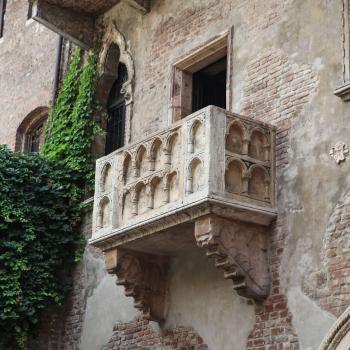
- Instant Messages: Romeo and Juliet use Instant Messages to communicate the feelings they share during the balcony scene (Act II, scene ii). Mercutio delivers his Queen Mab speech (Act I, scene iv) in a chatroom where Romeo and the others are present.
- Blogging: Rewrite Romeo's or Juliet's soliloquies as a series of blog entries. Write the nurse's comments and feelings as a series of blog entries.
- Playlist: Create the playlist that Romeo would make to share with Juliet. Create a playlist that would be played at the Capulets' masked ball.
- Headline News Story: Describe the masked ball as a modern-day dance or social event. Describe Mercutio's murder (and if desired, investigation of the crime) as it would appear on the front page.
- Once students' brainstorm indicates that they understand the projects, explain that students can choose one of the examples from the brainstormed list or create their own. Explain any system for reviewing student-proposed projects that you desire (e.g., do students need to share their alternative ideas with you before beginning work?).
- Explain that students will have the rest of the session as well as the next two sessions to work on their projects. They will present their final work during the fifth session.
- If students will work on the project in groups, arrange them in small groups and allow them time to discuss the project before the session ends. If students are working individually, ask them to freewrite about the projects they are most interested in trying during the remaining time or for homework.
Sessions Three and Four
- Review the Modern-Day Interpretation Projects handout, and remind students that they can also propose their own projects. Answer any questions that students have.
- Allow students to work freely on their projects during the class sessions, sharing their work with partners or classmates as they need feedback or suggestions.
- As students work, point individuals or groups to relevant interactives that they can use as they prepare their projects:
- Students creating Headline News sites can use the newspaper layout in the Printing Press to gather ideas. If students are unable to create their final project as a series of HTML pages, offer the option of publishing the stories using the Printing Press.
- Students rewriting monologues, dialogues, or scenes with a persuasive message can use the Persuasion Map as a prewriting tool to sketch out their messages.
- Students working on a series of linked messages or Web pages can use the ReadWriteThink Webbing Tool to plan the arrangement and relationship between the parts of the project.
- Students rewriting monologues, dialogues, or scenes can use the Drama Map to identify the key elements from the portion of the text they have chosen.
- Students writing technology product endorsements can use the Letter Generator to draft and publish their letters.
- Students creating Headline News sites can use the newspaper layout in the Printing Press to gather ideas. If students are unable to create their final project as a series of HTML pages, offer the option of publishing the stories using the Printing Press.
- Point out any additional online tools that students can use as they work on their projects. Possible resources are listed in the Resources section.
- Remind students of the assessment criteria included in the Rubric for Modern-Day Interpretation Projects. Provide any additional guidelines to specific students (e.g., talk with students who are writing endorsement letters about the features of a letter, talk with students creating PowerPoint presentations about the features of an effective PowerPoint presentation).
- Allow a range of options for students, including creating digital files or paper-based or poster-based projects. Provide a variety of supplies for students to use as they work on their presentations.
- Circulate among students as they work, providing support and feedback. If students are using student interactives to prepare or draft parts of their display, be prepared to help them with any tools they are unfamiliar with.
Session Five
- Give students several minutes at the beginning of the session to set up their projects and complete finishing touches.
- As students deliver their presentations to the class, prompt them to discuss why they chose the particular scenes and interpretations that they did.
- As the students are presenting, the teacher can assess their work using the rubric.
- For homework, ask students to freewrite in their journals about their projects and the ways that the themes and subjects from the older text compare to modern-day equivalents.
Extensions
After this activity, read Sharon M. Draper's Romiette and Julio with the class (or encourage students to read the book independently). In this updated version of Romeo and Juliet, the protagonists turn to chatrooms, private messages, and e-mail to communicate their forbidden love messages.
Student Assessment / Reflections
- Focus on observation and anecdotal note taking as students work on their projects to provide ongoing assessment of their progress.
- Use the Rubric for Modern-Day Interpretation Projects to assess the electronic scrapbook and the oral presentation.
Add new comment