http://www.readwritethink.org/classroom-resources/student-interactives/compare-contrast-30066.html
Contribute to ReadWriteThink / RSS / FAQs / Site Demonstrations / Contact Us
![]()
![]()
Download the plug-in tools you need to use our games and tools, or check to see if you've got the latest version.
![]()
Looking for ways to engage your students in online literacy learning? Find more interactive tools that help them accomplish a variety of goals-from organizing their thoughts to learning about language.
![]()
Check out our collection of strategy guides to find effective literacy teaching and learning strategies to use in your classroom.
![]()
Home › Classroom Resources › Student Interactives
Student Interactive
Compare & Contrast Map
![]()
| Grades | 3 – 12 |
| Interactive Type | Organizing & Summarizing |
| Tech Requirement | |
| URL | http://www.readwritethink.org /files/resources/interactives /compcontrast/map/ |
| ABOUT THIS INTERACTIVE |
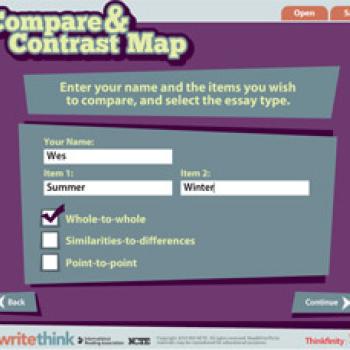
This interactive graphic organizer helps students develop an outline for one of three types of comparison essays: whole-to-whole, similarities-to-differences, or point-to-point. A link in the introduction to the Comparison and Contrast Guide give students the chance to get definitions and look at examples before they begin working. The tool offers multiple ways to navigate information including a graphic on the right that allows students to move around the map without having to work in a linear fashion. The finished map can be saved, e-mailed, or printed.
Grades 6 – 8 | Lesson Plan | Standard Lesson
Creative Communication Frames: Discovering Similarities between Writing and Art
Graphic organizers assist the development of comparative vocabulary and generate discussions of analogy and metaphor in art as students go on a real or virtual tour of an art gallery.
Grades 6 – 8 | Lesson Plan | Standard Lesson
Comparing and Contrasting: Picturing an Organizational Pattern
Using picture books as mentor texts, students learn effective strategies for organizing information that compares and contrasts. Students can then apply appropriate organizational strategies to their own papers.
Grades 6 – 12 | Lesson Plan | Standard Lesson
Comparing Portrayals of Slavery in Nineteenth-Century Photography and Literature
In this lesson, students analyze similarities and differences among depictions of slavery in The Adventures of Huckleberry Finn, Frederick Douglass’ Narrative, and nineteenth century photographs of slaves. Students formulate their analysis of the role of art and fiction, as they attempt to reliably reflect social ills, in a final essay.
Grades 6 – 8 | Lesson Plan | Standard Lesson
Fantastic Characters: Analyzing and Creating Superheroes and Villains
Students analyze characterization by creating their own superheroes or super-villains,
complete with related gadgets and settings.
Grades 4 – 7 | Lesson Plan | Standard Lesson
Boars and Baseball: Making Connections
In this lesson, students will make text-to-self, text-to-text, and text-to-world connections after reading In the Year of the Boar and Jackie Robinson. After sharing and discussing connections, students choose and plan a project that makes a personal connection to the text.
Grades 3 – 12 | Student Interactive | Organizing & Summarizing
The Persuasion Map is an interactive graphic organizer that enables students to map out their arguments for a persuasive essay or debate.
Grades 3 – 12 | Student Interactive | Organizing & Summarizing
The Essay Map is an interactive graphic organizer that enables students to organize and outline their ideas for an informational, definitional, or descriptive essay.
Grades 3 – 12 | Student Interactive | Organizing & Summarizing
The Comparison and Contrast Guide outlines the characteristics of the genre and provides direct instruction on the methods of organizing, gathering ideas, and writing comparison and contrast essays.
Grades K – 12 | Student Interactive | Organizing & Summarizing
This interactive tool allows students to create Venn diagrams that contain two or three overlapping circles, enabling them to organize their information logically.
![]()