http://www.readwritethink.org/classroom-resources/student-interactives/doodle-splash-30022.html
Contribute to ReadWriteThink / RSS / FAQs / Technical Help / Contact Us
![]()
![]()
Download the plug-in tools you need to use our games and tools, or check to see if you've got the latest version.
![]()
Looking for ways to engage your students in online literacy learning? Find more interactive tools that help them accomplish a variety of goals-from organizing their thoughts to learning about language.
![]()
Check out our collection of strategy guides to find effective literacy teaching and learning strategies to use in your classroom.
![]()
Home › Classroom Resources › Student Interactives
Student Interactive
Doodle Splash
![]()
| Grades | K – 12 |
| Interactive Type | Organizing & Summarizing |
| Tech Requirement | |
| URL | http://www.readwritethink.org /files/resources/interactives /doodle/ |
| ABOUT THIS INTERACTIVE |
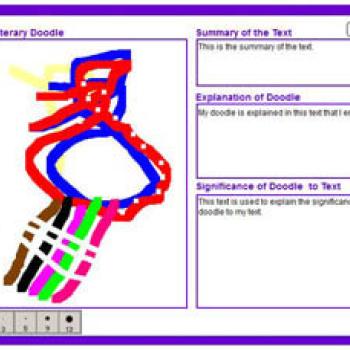
Teaching K-8 students to visualize what they are reading and to create graphic symbols helps them develop as readers. Doodle Splash interactive combines the process of drawing with analytical thinking about a text by pairing an online drawing space with writing prompts that encourage students to make connections between their visual designs and the text. The tool can be used for whole-class discussion of a short story (or part of a novel), small-group work, or individually, where students use doodles, symbols, drawings, shapes, and colors to construct a graphic of their story or chapter. After completing their individual or group images, students have the ability to print out their final versions for feedback and assessment.
Grades K – 2 | Lesson Plan | Standard Lesson
Let's Talk About Stories: Shared Discussion With Amazing Grace
Make space for critical literacy and engage students in meaningful, thoughtful discussions. Using Amazing Grace by Mary Hoffman, students dig deep into themes such as prejudice, courage, and self-confidence.
![]()