http://www.readwritethink.org/classroom-resources/student-interactives/profile-publisher-30067.html
Contribute to ReadWriteThink / RSS / FAQs / Site Demonstrations / Contact Us
![]()
![]()
Download the plug-in tools you need to use our games and tools, or check to see if you've got the latest version.
![]()
Looking for ways to engage your students in online literacy learning? Find more interactive tools that help them accomplish a variety of goals-from organizing their thoughts to learning about language.
![]()
Check out our collection of strategy guides to find effective literacy teaching and learning strategies to use in your classroom.
![]()
Home › Classroom Resources › Student Interactives
Student Interactive
Profile Publisher
![]()
| Grades | 6 – 12 |
| Interactive Type | Writing & Publishing Prose |
| Tech Requirement | |
| URL | http://www.readwritethink.org /files/resources/interactives /profile/ |
| ABOUT THIS INTERACTIVE |
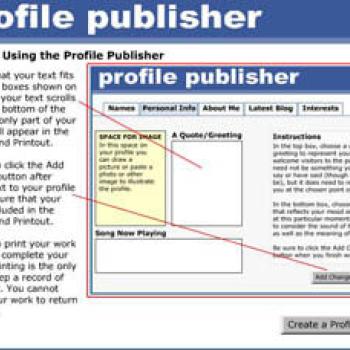
Students can use the Profile Publisher to mock up or draft online social networking profiles, yearbook profiles, and newspaper or magazine profiles for themselves, other real people (including historical figures), or fictional characters. The tool could also be used for profiles of nonhuman living creatures, inanimate objects or abstract concepts (e.g., profile of an amoeba, an historical monument, or friendship). See a completed sample Profile for a fictional character based on Christopher Myers' Wings to see what a student profile might look like.
Grades 9 – 12 | Lesson Plan | Standard Lesson
Naming in a Digital World: Creating a Safe Persona on the Internet
Students explore naming conventions in digital and non-digital settings then choose and explain specific names and profiles to represent themselves online.
Grades 9 – 12 | Lesson Plan | Standard Lesson
There Are No Small Parts: Minor Characters in David Copperfield
This lesson capitalizes on students’ interest in social networking by asking students to build an online profile for a minor character in Charles Dickens' David Copperfield.
Grades 9 – 12 | Lesson Plan | Standard Lesson
Exploring The Prologue to The Canterbury Tales using Wikis
Students study Chaucer’s Canterbury Tales not just for its rich language, but also for the insights it provides into the Middle Ages. Using wikis, students collaborate to study both literature and history on their own terms. They create meaning and build information networks using tools Chaucer himself would have loved.
Grades 2 – 5 | Lesson Plan | Standard Lesson
In this lesson, students practice a way to communicate without words by using a glyph. They create a name card using information about themselves. Students also interpret glyphs made by others.
Grades 9 – 12 | Lesson Plan | Recurring Lesson
Tell Me Your Story: Video-Inspired Vocabulary Writing
Students watch a sample of artistic video clips online and respond through creative writing while using the vocabulary words they are currently studying.
Grades 3 – 8 | Calendar Activity |  August 1
The prototype for the World Wide Web was created in 1990.
Students look at pictures from the past using the WayBack Machine and brainstorm a few websites to explore to think about how they have changed over the years.
Grades 6 – 12 | Strategy Guide
In this Strategy Guide you will learn how online reading differs from offline reading and strategies to build and reinforce the skills that online reading requires.
Grades 6 – 12 | Strategy Guide
This Strategy Guide describes the strategies involved in ensuring that students understand how to be safe when they participate in online discussion and join social networks.
Grades 6 – 12 | Strategy Guide
This Strategy Guide describes the processes involved in composing blogs in the classroom, the process of writing regular posts, or entries, that are published online.
Grades 8 – 12 | Professional Library | Book
Literacy Remix: Bridging Adolescents’ In and Out of School Literacies
This resources promotes the use new literacies to help students connect to school texts.
![]()