http://www.readwritethink.org/classroom-resources/student-interactives/stapleless-book-30010.html
Contribute to ReadWriteThink / RSS / FAQs / Site Demonstrations / Contact Us
![]()
![]()
Download the plug-in tools you need to use our games and tools, or check to see if you've got the latest version.
![]()
Looking for ways to engage your students in online literacy learning? Find more interactive tools that help them accomplish a variety of goals-from organizing their thoughts to learning about language.
![]()
Check out our collection of strategy guides to find effective literacy teaching and learning strategies to use in your classroom.
![]()
Home › Classroom Resources › Student Interactives
Student Interactive
Stapleless Book
![]()
| Grades | K – 12 |
| Interactive Type | Writing & Publishing Prose |
| Tech Requirement | |
| URL | http://www.readwritethink.org /files/resources/interactives /stapleless/ |
| ABOUT THIS INTERACTIVE |
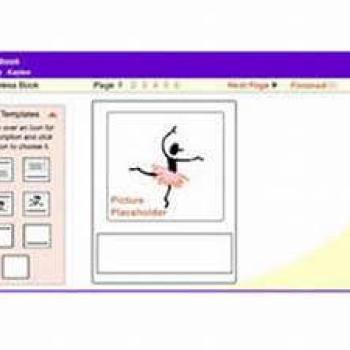
The Stapleless Book is designed to allow users to create with ease an eight-page book simply by folding and cutting. No tape or staples are required. Students and teachers alike can use the Stapleless Book for taking notes while reading, making picture books, collecting facts, or creating vocabulary booklets. Students can choose from seven different layouts for the pages of their books.
The tool is easy to use, made even easier with the Stapleless Book Planning Sheet, a printable PDF that book creators can use to draft and revise their work before creating and printing their final books. View the video demonstration for the Stapleless Book to see how to fold and cut the printout.
For additional ideas on how to use this tool, see Stapleless Book in the Parent & Afterschool Resources section.
Grades 6 – 8 | Lesson Plan | Minilesson
Using the Check and Line Method to Enhance Reading Comprehension
Do your students skim assigned text material without even engaging their brains? The Check and Line method encourages students to think about what they are reading and monitor their own comprehension of the information.
Grades 6 – 8 | Lesson Plan | Standard Lesson
Teaching Voice with Anthony Browne’s Voices in the Park
Students analyze Voices in the Park by Anthony Browne to determine how an author keeps an audience interested by creating voice and to applying that knowledge to their own writing.
Grades 6 – 8 | Lesson Plan | Standard Lesson
What Am I? Teaching Poetry through Riddles
Students explore figurative language in poetry by reading and writing riddle poems.
Grades 6 – 8 | Lesson Plan | Standard Lesson
You Know the Movie is ComingNow What?
In this lesson, students read a literary text with the eye of a director, selecting scenes from the text and putting a cinematic spin on them.
Grades 6 – 8 | Lesson Plan | Standard Lesson
Book Report Alternative: Creating a Childhood for a Character
Students explore familiar literary characters, usually first encountered as adults, but whose childhood stories are only told later. Students then create childhoods for adult characters from books of their choice.
Grades 6 – 8 | Lesson Plan | Unit
Let It Grow: An Inquiry-Based Organic Gardening Research Project
Students learn about organic gardening by developing their own research questions, conducting research, gardening at their school, creating signs about their plants, and presenting their research to the class.
Grades 3 – 12 | Student Interactive | Writing & Publishing Prose
The Flip Book is designed to allow users to type and illustrate tabbed flip books up to ten pages long. Students and teachers can use the flip book for taking notes while reading, making picture books, collecting facts, or creating question and answer booklets.
Grades K – 12 | Student Interactive | Writing & Publishing Prose
The interactive Printing Press is designed to assist students in creating newspapers, brochures, and flyers.
Grades K – 8 | Student Interactive | Writing & Publishing Prose
The Book Cover Creator is designed to allow users to type and illustrate front book covers, front and back covers, and full dust jackets. Students can use the tool to create new covers for books that they read as well as to create covers for books they write individually or as a class.
Grades 3 – 12 | Calendar Activity |  October 3
Gwendolyn Brooks published Bronzeville Boys and Girls in 1956.
After students have read and discussed several poems from Brooks' collection, they create a poetry anthology for their own family, neighborhood, or classroom.
Grades 3 – 6 | Calendar Activity |  April 18
Participate in Poem in Your Pocket Day!
Students select a poem and create a Stapleless Book using the interactive tool.
Grades K – 5 | Strategy Guide
Implementing the Writing Process
This strategy guide explains the writing process and offers practical methods for applying it in your classroom to help students become proficient writers.
![]()

