This lesson gives teachers resources and guidance to create reading, listening, computer, and poetry Literacy Centers in their own classrooms.

Literacy Centers: Getting Started

Animate that Haiku!
Following the traditional form of the haiku, students publish their own haikus using Animoto, an online web tool to produce slideshows that blend text and music.

Huge Mistakes that Led to Catastrophe: Learning about Human-made Disasters throughout History
After researching various human-made disasters such as the BP oil spill, the sinking of the Titanic, and the Great Chicago Fire, students share their research in oral presentations. Then students pair up to compare and contrast their disasters using the Venn Diagram Student Interactive or the Venn diagram Mobile App.

Picture This: Using Instagram to Report
After taking a field trip that students document using mobile app Instagram, students become new reporters as they use the interactive Printing Press to tell about their experiences.

Summarizing with Haikus
Using the Haiku Poem App or the Haiku Poem Interactive, students summarize papers they have written using the traditional format of a haiku.

Learning about Clouds with Haikus
Using a mobile app or Interactive activity, students write haikus describing various types of clouds that they have studied.

Using Mobile Devices to Illustrate Literary Devices
Using mobile devices, students capture images to represent literary devices. Students then reflect on why their images depict the literary devices.
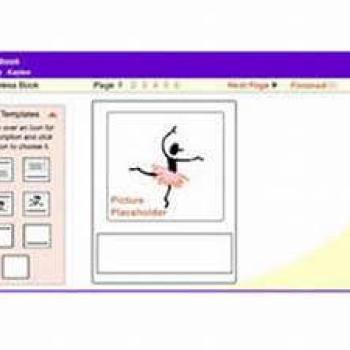
Stapleless Book
The Stapleless Book can be used for taking notes while reading, making picture books, collecting facts, or creating vocabulary booklets . . . the possibilities are endless!

Reading on the Go
In this Strategy Guide, learn how to prepare yourself and your students for reading and note-taking in mobile environments.

Teaching with Zooming Slideshows through Prezi
Through Prezi, a web application, students create "zooming" presentations for various purposes, such as presenting research, defending an opinion, or sharing a digital story.

Bringing Lessons to Life with Animoto
Using Animoto, a free Web 2.0 tool, students can develop short digital videos that include music, photos, video clips, and text as well as share their creations electronically.

Latino Poetry Blog: Blogging as a Forum for Open Discussion
In this lesson, students use blogs to hold discussions about the effect of the factors of culture, history, and environment on Latino poetry.

I've Got the Literacy Blues
Students will be singing the blues in this lesson in which they identify themes from "The Gift of the Magi" and write and present blues poetry based on those themes.
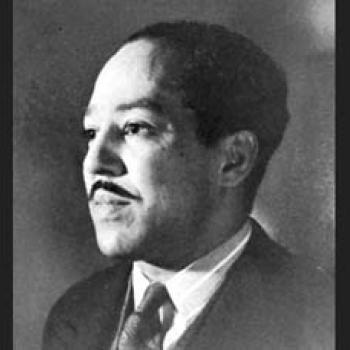
Discovering a Passion for Poetry With Langston Hughes
Through a study of Langston Hughes' poetry, students connect his writing to his place in history.

Poetry Plus! Creating 21st Century Poems with Web Tools
This lesson encourages students to immerse themselves in poetry as they share their original poems orally and digitally with published poets and peers nationwide.

Create a Great Future: STEM Career Research Using Close Reading
What if students could see the relevance of their school curriculum to real-world, interesting, STEM-related careers? Let's help them create a great future!

Bringing Economic Vocabulary to Life Through Video Posters
Imagine if vocabulary could come alive with the click of a button! Students create video posters to demonstrate knowledge of new economics vocabulary.
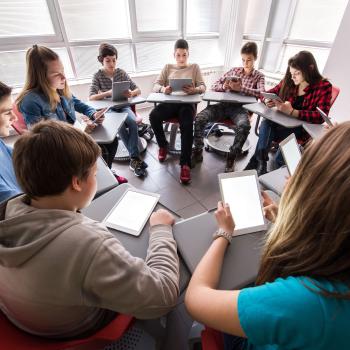
Digital Word Detectives: Building Vocabulary With e-Book Readers
Students in grades 2-6 use digital dictionaries and other e-book tools to learn new vocabulary as they read e-books on digital reading devices.

e-Book Reading and Response: Innovative Ways to Engage with Texts
Students in grades 5 through 12 read and respond to electronic books by using e-book tools and features, including digital note-taking capabilities.

Going Digital: Using e-Book Readers to Enhance the Reading Experience
Students use various tools and features of digital readers to develop vocabulary, support comprehension, respond to text, improve fluency, and enhance the reading experience.